
localstudio
Browser-native AI design studio for presentations and image editing.
Quick Answer
AILocalStudio is a browser-native slide editor for individuals and designers seeking editable AI output. It supports image generation, writing, translation, and background removal directly within a continuous workflow. Best for users who want a free, private, local-first alternative to cloud-based design tools. Free.
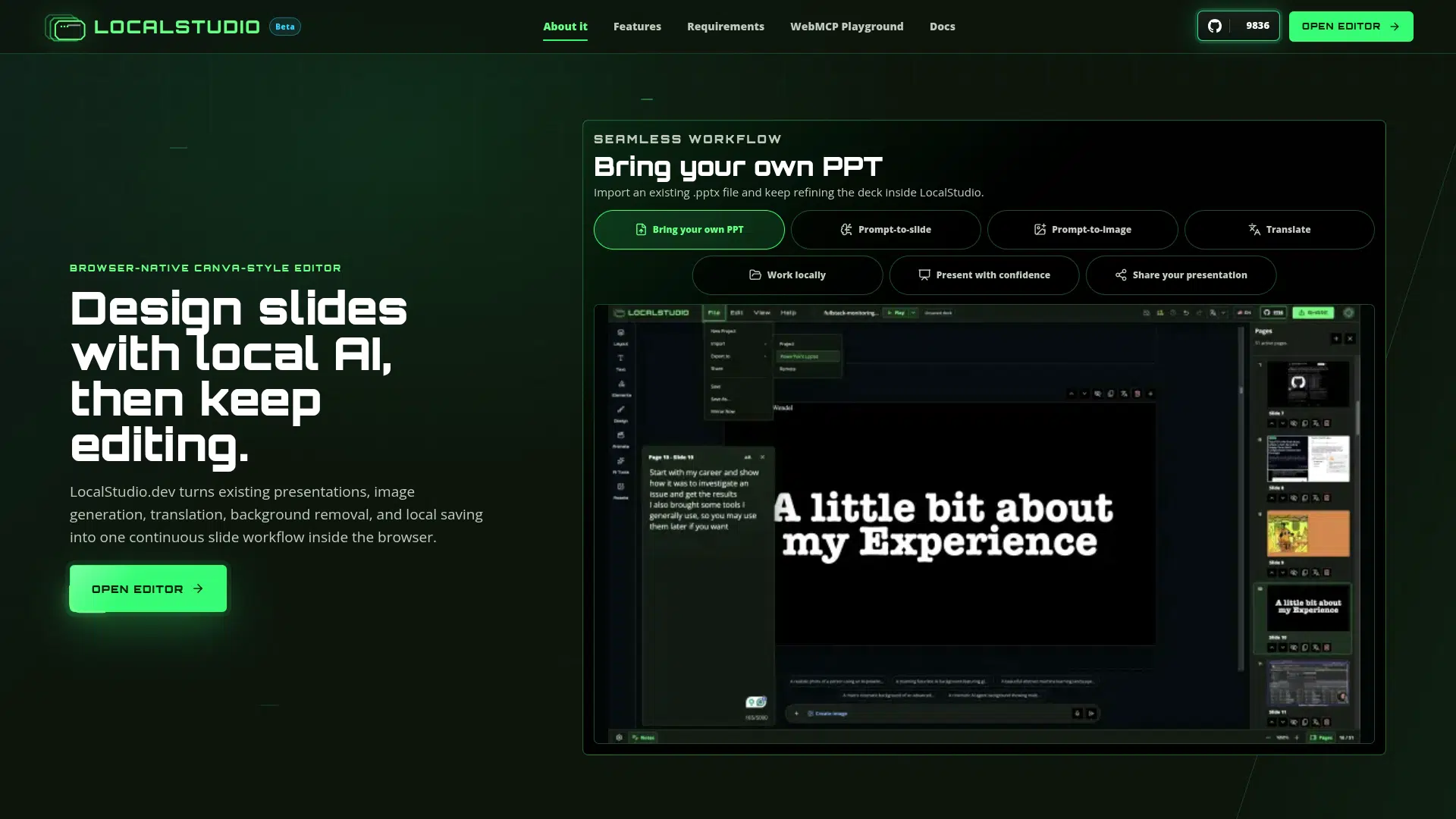
LocalStudio.dev is a browser-native Canva-style editor that turns existing presentations, image generation, translation, and background removal into one continuous slide workflow. It keeps projects local-first with editable AI output and PowerPoint import/export. Free and open, it offers a private alternative to cloud-based design tools.
LocalStudio.dev keeps the entire creative workflow, including AI generation and editing, within the browser and local to the user's machine, ensuring privacy and editable output without cloud dependencies.
Decision Intelligence
Best For
AIType
Free Trial
No
Credit Card
Not Required
Free Plan
Yes
Dimension Scores
· 4.5 avgHow good it is, across universal quality axes
Task Scores
· 4.0 avgWhat it can do, per category it works in · showing 5 of 10 tasks scoring 5+
Scores are AI-estimated from publicly available data — not an independent test or a verified user rating. How we rank →
- -Requires Chrome browser for optimal performance and file system APIs
- -Needs at least 10GB free storage for model weights and project files
Complexity
Company Size
Target Team Size
Target Skill Level
Privacy & data handling
The Model(s) Behind It
Model details — extracted from public vendor sources by our pipeline (AI extraction plus a source check) or admin-entered. Shown as claimed by the vendor; not independently audited by Intelloro.
In-editor media integration for GIFs
In-editor media integration for stock images
S3-compatible local/self-hosted storage example
S3-compatible external storage for projects
Auto-updated
Trust Score
Insufficient data
Not enough verifiable data to score yet
Evidence: 3 of 12 expected facts verified
Evidence strength: Strong
Reflects publicly available data, not an independent audit
No published data
Not yet checked
Some details are AI-generated estimates — verify with the vendor.
AI-generated estimate: Best For, Description, Limitations, Quick Answer, Tagline, What Makes Unique
How we source dataAI Governance & Regulatory Disclosures
Legally-sensitive fields — extracted from public vendor sources by our pipeline (AI extraction plus a source check) or admin-entered. Shown as claimed by the vendor; not independently audited by Intelloro.
Switching & Migration
User Reviews
No reviews yet. Be the first to review!
Top localstudio alternatives in the same category, ranked by quality.

Canva
AI design, writing & creative tools (Canva)

Layer AI
The AI Operating System for Creative Teams

Framer AI
The design agent for every step from idea to launch

Penpot
The open-source design platform for teams

Khroma
AI Color Tool for Designers — discover and save color palettes

Visily
AI-powered UI design software — wireframes & prototypes
Looking for more localstudio alternatives?
Explore our complete list of alternatives with filters for free, cheaper, and higher-rated options.








Who It's For3 rolesGraphic DesignersArt DirectorsWeb and Digital Interface Designers
Platform, Content & Languages3 content types1 languagesTextImagePresentationEnglish+6 more
Output Languages
Content Types
Accepts
Produces
Frequently Asked Questions
What can localstudio do?
localstudio can: PowerPoint import and export, Prompt-to-slide generation with editable layers, Prompt-to-image generation directly on canvas, In-editor translation for text, pages, or entire decks. Best for: Users who want a free, private, local-first slide and image editor.
How much does localstudio cost?
localstudio is completely free to use with no paid plans required.
Is localstudio free?
Yes, localstudio is completely free to use with no paid plans required.
What makes localstudio unique?
LocalStudio.dev keeps the entire creative workflow, including AI generation and editing, within the browser and local to the user's machine, ensuring privacy and editable output without cloud dependencies.
What platforms does localstudio support?
localstudio is available on web.
What languages does localstudio support?
localstudio supports English.
Does localstudio work offline?
Yes, localstudio supports offline use — you can run it without an active internet connection.
Who is localstudio for?
localstudio is designed for Users who want a free, private, local-first slide and image editor; Individuals creating presentations without cloud dependencies; Designers seeking editable AI output for slides and images.