
writher
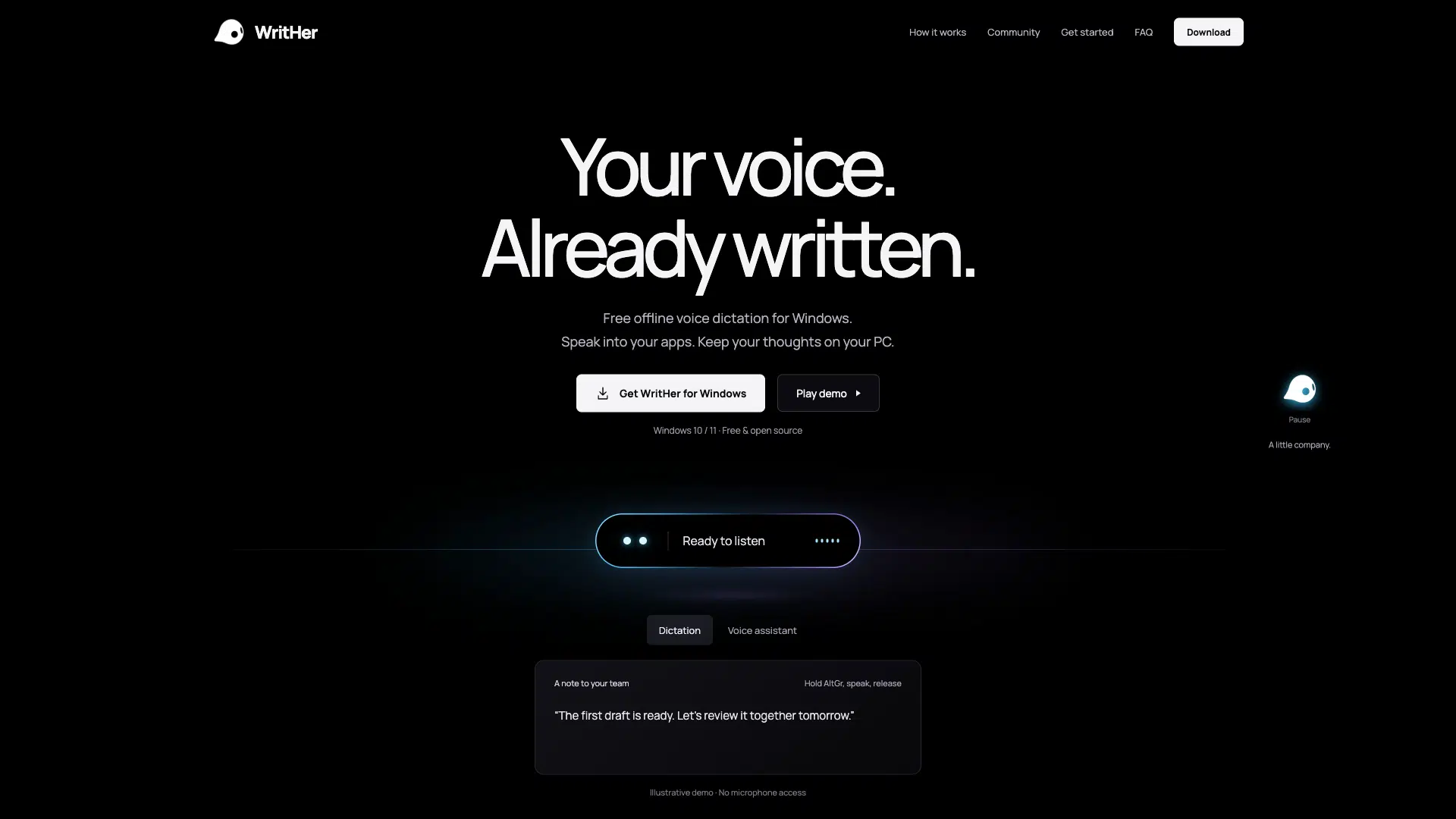
Free offline voice dictation for Windows.
Quick Answer
AIWritHer is a free, open-source offline voice dictation tool for Windows 10/11. It uses faster-whisper for local speech recognition and can integrate with Ollama for an AI assistant. Best for individual users prioritizing privacy and offline functionality. Free and open source under the MIT license.
WritHer is a free, open-source offline voice dictation tool for Windows 10/11. It allows users to speak into any application, converting speech to text locally without an internet connection. The tool supports dictation into text fields and includes an optional local AI assistant for notes and reminders.
WritHer offers completely offline voice dictation and an optional local AI assistant for Windows, utilizing faster-whisper and Ollama for privacy and no cloud dependency.
Decision Intelligence
Best For
AIType
Free Trial
No
Credit Card
Not Required
Free Plan
Yes
Dimension Scores
· 5.0 avgHow good it is, across universal quality axes
Task Scores
· 4.1 avgWhat it can do, per category it works in · showing 3 of 7 tasks scoring 5+
Scores are AI-estimated from publicly available data — not an independent test or a verified user rating. How we rank →
- -Currently supports only Windows 10 and 11
- -Assistant mode requires a local language model like Ollama
- -Dictation works only with text fields that accept pasted text
Complexity
Company Size
Target Team Size
Target Skill Level
Privacy & data handling
The Model(s) Behind It
Model details — extracted from public vendor sources by our pipeline (AI extraction plus a source check) or admin-entered. Shown as claimed by the vendor; not independently audited by Intelloro.
Connects for local language model processing for the voice assistant
Auto-updated
Trust Score
Good
Based on 6 data signals
Evidence: 5 of 12 expected facts verified · highest possible score 60
Evidence strength: Strong
Reflects publicly available data, not an independent audit
No published data
Not yet checked
Some details are AI-generated estimates — verify with the vendor.
AI-generated estimate: Best For, Description, Limitations, Quick Answer, Tagline, What Makes Unique
How we source dataAI Governance & Regulatory Disclosures
Legally-sensitive fields — extracted from public vendor sources by our pipeline (AI extraction plus a source check) or admin-entered. Shown as claimed by the vendor; not independently audited by Intelloro.
User Reviews
No reviews yet. Be the first to review!
Top writher alternatives in the same category, ranked by quality.

ElevenLabs
Free AI Voice Generator & Voice Agents Platform

Murf AI
Leading AI Voice & Conversational Agent Platform
Vapi
Build & deploy advanced voice AI agents

Speechmatics
Speech APIs powering Voice AI — multilingual speech-to-text

tts-android
Free AI Text to Speech, Voice Cloning & Speech to Text.
Cartesia AI
Real-time speech & transcription models for voice agents
Looking for more writher alternatives?
Explore our complete list of alternatives with filters for free, cheaper, and higher-rated options.



Who It's For3 rolesMusic Directors and ComposersMusicians and SingersSound Engineering Technicians
Platform, Content & Languages1 content types1 languagesTextEnglish+2 more
Output Languages
Content Types
Accepts
Produces
Frequently Asked Questions
What can writher do?
writher can: Offline voice dictation, Local speech recognition with faster-whisper, Voice assistant for notes and reminders, Customizable shortcuts and vocabulary. Best for: Individual Windows users seeking private, offline dictation.
How much does writher cost?
writher is open source and free to self-host. Cloud hosting options may have separate pricing.
Is writher free?
Yes, writher is open source and free to self-host. Managed hosting may carry separate costs.
What makes writher unique?
WritHer offers completely offline voice dictation and an optional local AI assistant for Windows, utilizing faster-whisper and Ollama for privacy and no cloud dependency.
What platforms does writher support?
writher is available on desktop.
What languages does writher support?
writher supports English.
Does writher work offline?
Yes, writher supports offline use — you can run it without an active internet connection.
Who is writher for?
writher is designed for Individual Windows users seeking private, offline dictation; Developers interested in contributing to an open-source voice assistant; Users looking for a free alternative to cloud-based speech-to-text solutions.